
Download ClearTerminal – terminal app, M2M developer tool, wireless device communication, X-Modem support, command history, data logging, customizable interface, hex output, time stamps, free terminal utility
Overview
ClearTerminal is a dedicated terminal application designed specifically for machine-to-machine (M2M) and wireless device developers. As a free tool, it provides a streamlined environment for establishing and managing communication with embedded devices, making it a practical utility for professionals working in IoT, industrial automation, and remote monitoring systems. The app’s primary purpose is to simplify the interaction between developers and wireless hardware through reliable protocol support and essential data-handling features. It addresses common challenges such as command repetition, data loss during logging, and inefficient debugging workflows by offering built-in tools like command history, time stamps, and large buffer storage.
Target users include both technical developers and business-focused engineers who require a lightweight, efficient interface for device testing and diagnostics. The app supports the X-Modem protocol, which is widely used in embedded systems for file transfer over serial connections, ensuring compatibility with a broad range of legacy and modern hardware. Real-world use cases include firmware updates, sensor data analysis, and real-time device diagnostics in field deployments. Despite its niche focus, ClearTerminal holds a unique position in the mobile productivity ecosystem by offering a specialized tool that fills a gap often overlooked by general-purpose terminal apps. Its long-standing presence since 2012 reflects its reliability and continued relevance for developers who value stability over flashy features.
Key Features & Functionality
- Protocol Support (X-Modem): ClearTerminal enables communication with wireless and embedded devices using the X-Modem protocol, facilitating reliable file transfers and device configuration in industrial and IoT environments.
- Command History: The app maintains a detailed record of previously entered commands, allowing developers to recall and reuse them quickly, reducing repetitive input and minimizing errors during testing sessions.
- Customizable Interface: Users can personalize their experience through adjustable color schemes, improving readability and visual comfort during extended debugging or monitoring tasks.
- Data Handling Tools: Built-in copy, paste, and search functions streamline data management. Additionally, the app supports hex output and time-stamped logs, which are critical for analyzing binary data and tracking device behavior over time.
- Large Buffer Size: With extensive buffer capacity, ClearTerminal ensures that long-term data logging is possible without data truncation, making it ideal for monitoring device performance across extended periods.
These features collectively enhance productivity by reducing manual effort and improving data accuracy. For instance, a developer troubleshooting a remote sensor network can use time-stamped hex logs to correlate anomalies with specific events, while the command history prevents the need to re-enter complex initialization sequences. The combination of protocol compatibility and robust data handling makes ClearTerminal a practical tool for real-world deployment and maintenance scenarios.
Interface, UX & Performance
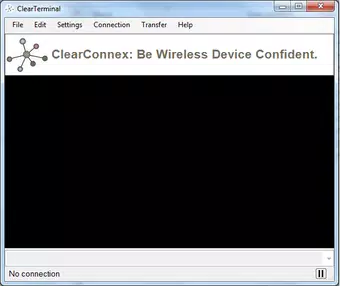
ClearTerminal features a clean, minimal interface optimized for functional efficiency rather than visual flair. The layout prioritizes command input, log output, and control buttons, ensuring that developers can focus on their tasks without distraction. Navigation is straightforward, relying on standard input fields and button-based controls, which reduces the learning curve for new users. The visual style is functional, with clear text separation and a monospaced font to maintain alignment in terminal output.
Although the developer did not list formal performance metrics, the app’s lightweight footprint of 2.1 MB suggests it is designed for efficiency and low resource consumption. It is expected to operate smoothly on a wide range of Android devices, including older models, given its long release history and minimal system requirements. Responsiveness is likely optimized for serial communication tasks, where timely data delivery is crucial. Stability appears to be a core design principle, as the app has remained in use since 2012 without reported major disruptions. The absence of complex animations or background processes further supports consistent performance during prolonged usage.
Platform Compatibility & Technical Requirements
ClearTerminal is available exclusively on the Android platform. The current version is 1.0.0, with a file size of 2.1 MB, indicating a lightweight, low-overhead application. The developer did not specify minimum OS requirements or compatibility details for different Android versions. However, given its release date in 2012 and continued availability, it is likely compatible with a broad range of Android devices, including those running older OS versions.
Users should verify compatibility with their specific device model and Android version before installation. The app does not require high-end hardware, making it accessible for developers using budget or legacy smartphones and tablets. No additional permissions or system integrations were disclosed, suggesting a focused, self-contained design. For those seeking a secure, lightweight terminal tool for M2M development, ClearTerminal offers a stable, no-frills solution with minimal system impact.
Pros and Cons
Pros
- Completely free to download and use, with no in-app purchases or ads.
- Supports X-Modem protocol, ensuring compatibility with a wide range of embedded devices.
- Large buffer size enables long-term data logging without data loss.
- Command history improves workflow efficiency and reduces input errors.
- Customizable interface enhances readability and user comfort during extended sessions.
Cons
- The developer did not provide detailed technical specifications or compatibility requirements.
- No information on update frequency or future development plans.
- Interface design is minimal, which may not appeal to users seeking modern or visually rich layouts.
- Exclusive availability on Android limits cross-platform accessibility.
- Version 1.0.0 suggests limited recent updates, potentially affecting compatibility with newer Android features.
FAQ
Is ClearTerminal available for iOS devices?
ClearTerminal is currently only available on the Android platform. There is no official iOS version at this time.
Can I use ClearTerminal for firmware updates?
Yes, the app supports the X-Modem protocol, which is commonly used for firmware and file transfers in embedded systems, making it suitable for updating wireless devices.
Is the app secure for handling sensitive device data?
While the app does not require special permissions and operates locally, users should ensure secure physical and network access to their devices during communication.
How often is ClearTerminal updated?
The developer has not disclosed update frequency or future development plans. The current version is 1.0.0, released in 2012.
Does ClearTerminal support other protocols besides X-Modem?
Based on the provided information, ClearTerminal supports X-Modem. No additional protocol support was specified.
Final Thoughts + CTA
ClearTerminal stands out as a reliable, no-cost terminal utility tailored for M2M and wireless device developers. Its combination of protocol support, command history, and robust data logging makes it a valuable tool for professionals who need consistent, efficient access to embedded systems. While the interface is intentionally minimal and the app has not seen recent updates, its stability and focused functionality remain relevant in niche development workflows. For developers working with legacy or industrial hardware, ClearTerminal offers a practical solution without the overhead of complex applications.
Its lightweight design, free access, and proven track record since 2012 make it a trustworthy choice for those prioritizing reliability over modern aesthetics. Whether used for debugging, data analysis, or firmware deployment, the app delivers on its core promise: a dependable terminal experience for technical users.
Download ClearTerminal now


